Free Chrome extension · YouTube, Twitch & every website
Skip YouTube Ads. Block Trackers. Hide Cookie Notices.
Ad Blocker for Chrome – Tracker Blocker & Privacy skips YouTube and Twitch ads, blocks ads and trackers on every site, and hides cookie notices — on your device, with no account.
9,000
Users on the Chrome Web Store
4.7/5
Average rating from 53 ratings
15,000+
Blocking rules from EasyList, EasyPrivacy & EasyList Cookie
v2.0
Updated November 3, 2026
Users, rating and version from the extension's Chrome Web Store listing, checked November 2026.
Ads Get in the Way of What You Came For
On YouTube and across the web, here's what usually happens first.
Ads before and during videos
Pre-roll and mid-roll ads, overlay banners over the video, and ad slots in the feed and sidebar.
“Ad blockers are not allowed”
Blockers that cut YouTube's ad requests on the network can make YouTube show its ad-blocker warning.
Trackers on almost every page
Analytics and tracking scripts load in the background of the sites you visit.
Cookie notices everywhere
Consent banners and pop-ups cover the page before you can read it.
Ad Blocker for Chrome – Tracker Blocker & Privacy Handles It
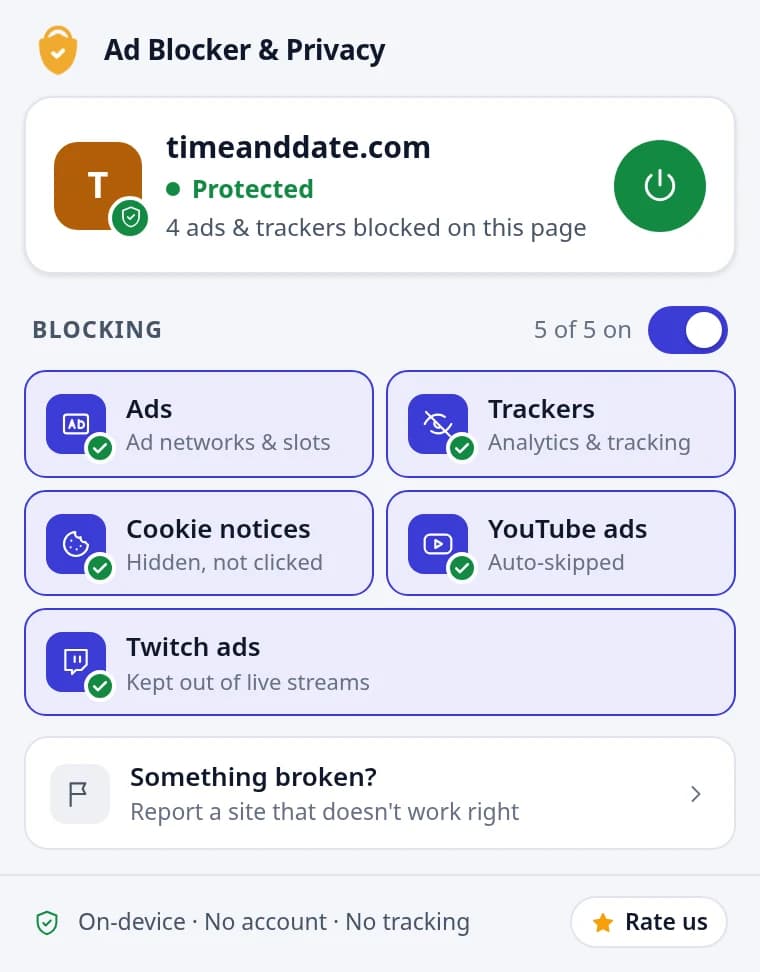
One extension for YouTube, Twitch and the rest of the web. It works on your device, needs no account, and every kind of blocking can be switched on or off from its popup.
- Skips YouTube ads inside the page, with no network blocking on YouTube
- Blocks ads and trackers on every site with 15,000+ rules
- Hides cookie notices without ever clicking “Accept”
- Keeps ads out of Twitch live streams
- Pause it on any site with one click
How It Works
Install it once. It works on its own from then on.
Add to Chrome
Install the extension from the Chrome Web Store. Every kind of blocking is switched on from the start — there's nothing to set up and no account to create.
Watch and Browse as Usual
YouTube and Twitch ads are skipped, ads and trackers are blocked, and cookie notices are hidden. The toolbar icon shows how many requests were blocked on the page.
Adjust from the Popup
Click the icon to switch ads, trackers, cookie notices, YouTube or Twitch blocking on or off, or pause the extension on the site you're on with one click.
See It Working
Real screenshots of the extension, version 2.0, on live websites.
Ads removed
A weather page without the extension (left) and with it (right): the banner and the sidebar ad slot are gone.
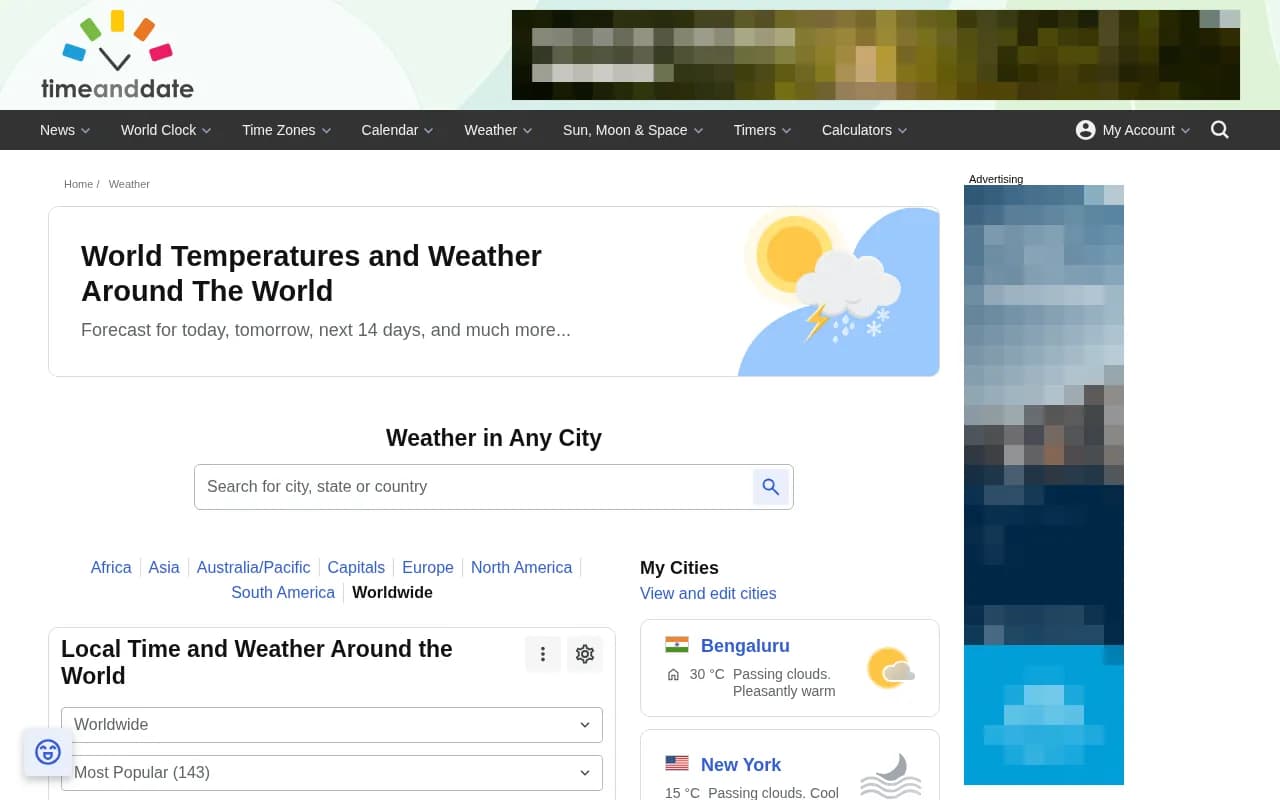
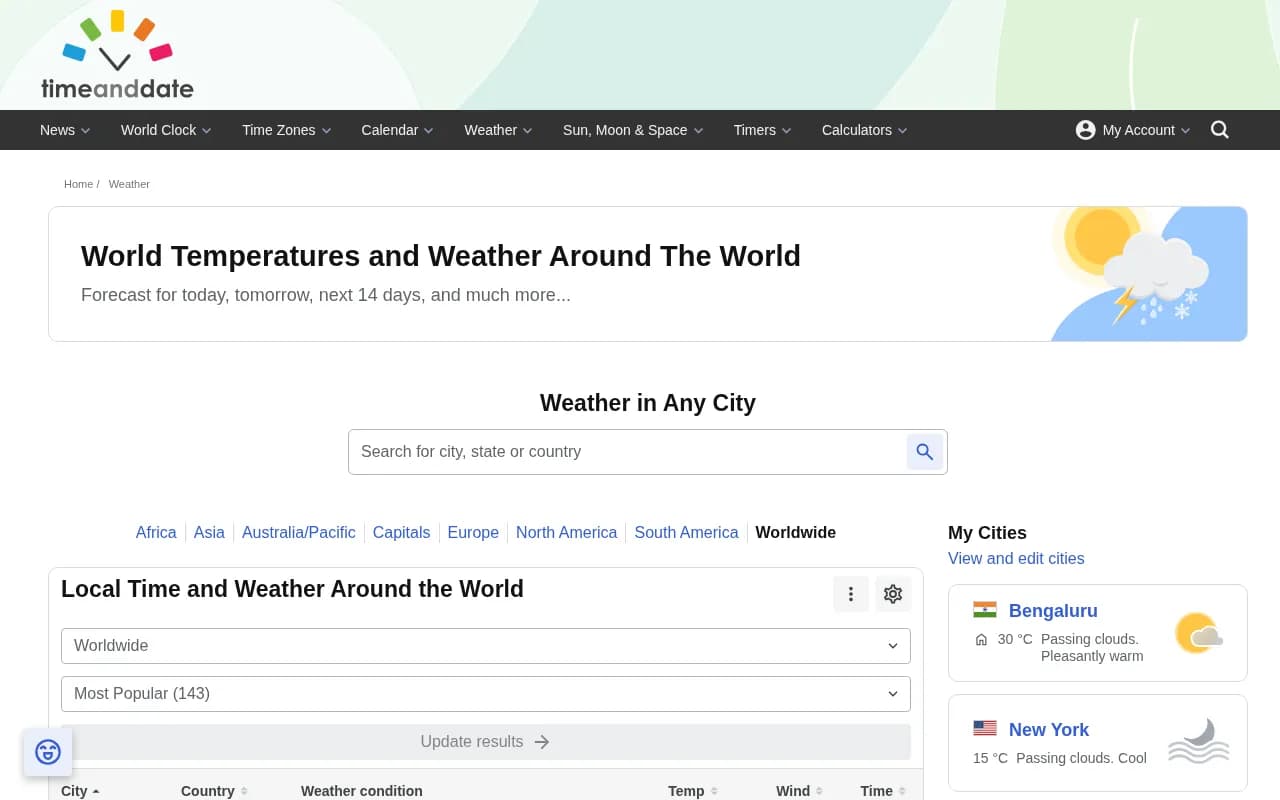
Ad images in the left screenshot are pixelated.
Cookie notices hidden
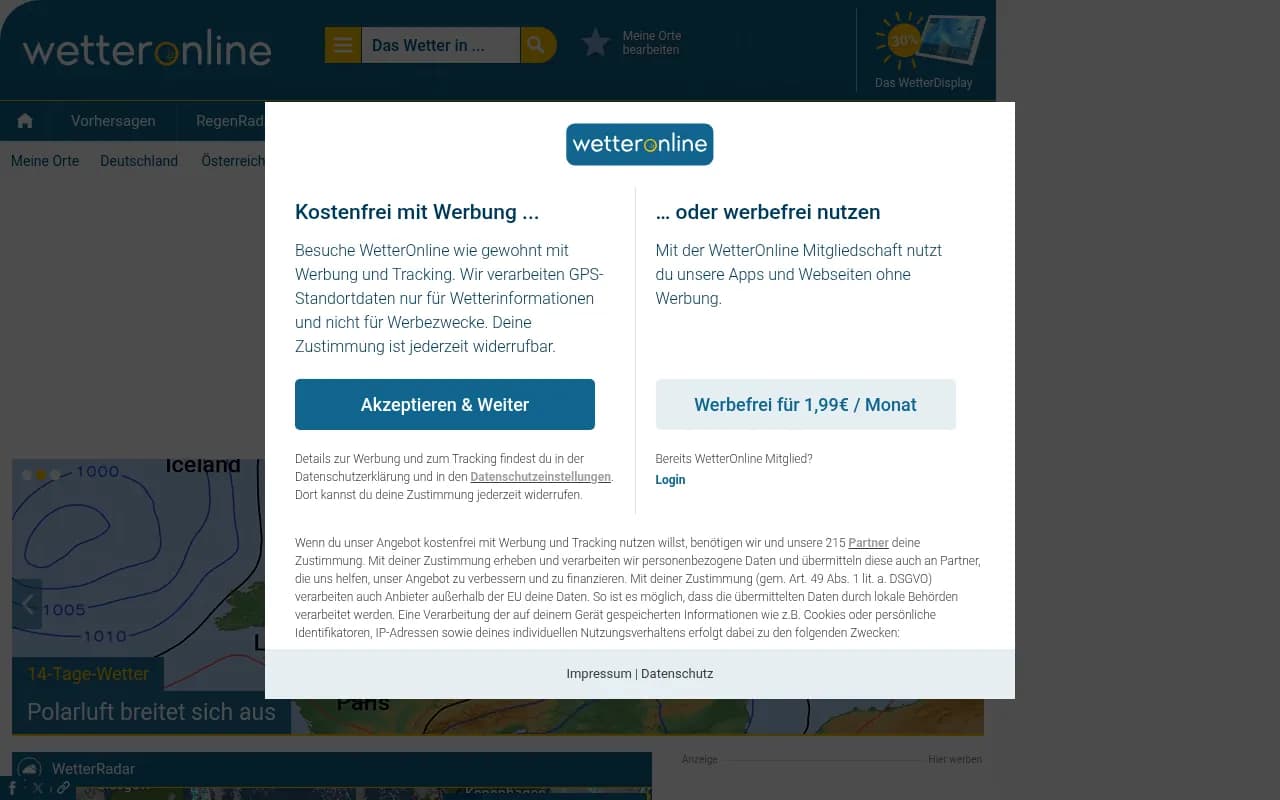
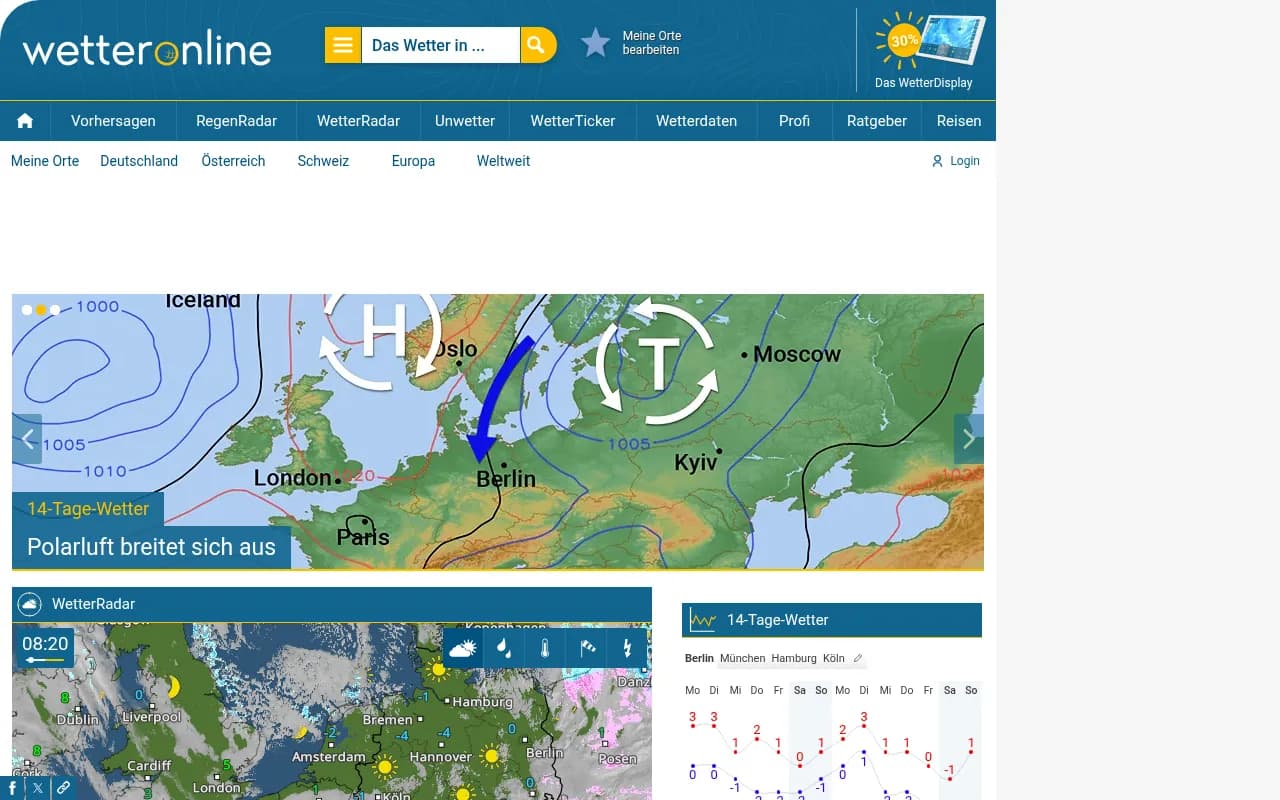
A German weather site without the extension (left) and with it (right): the consent pop-up is hidden — nothing is accepted or clicked.
Pause on any site
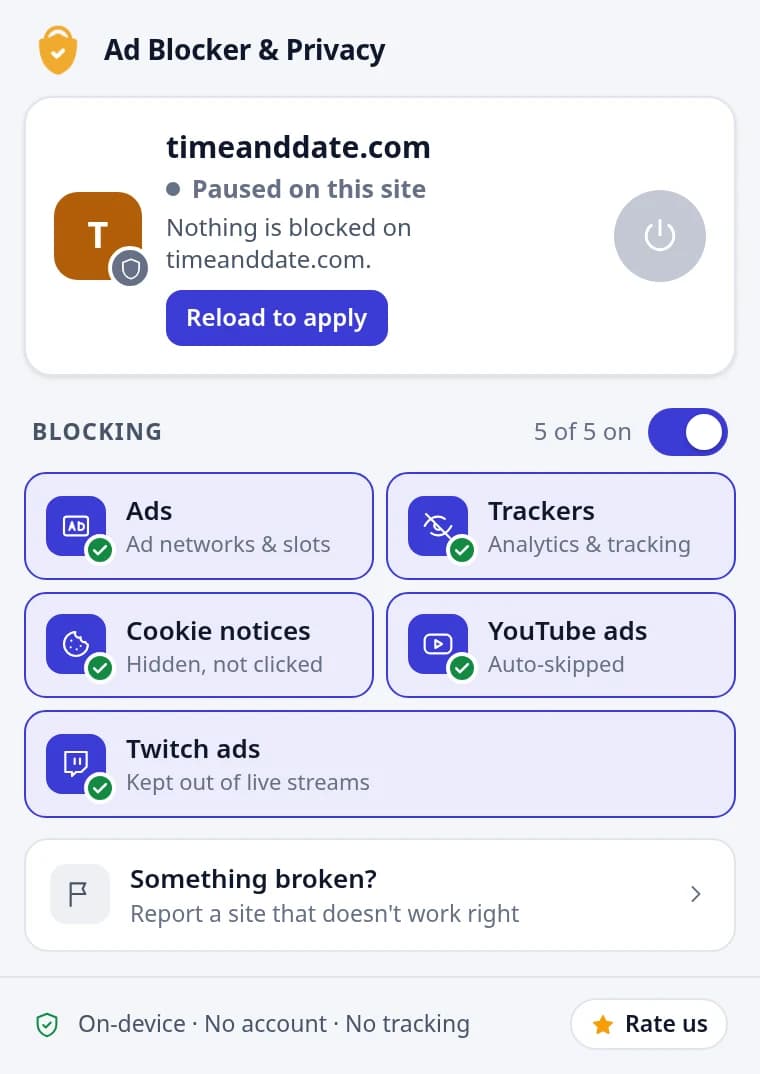
If a site doesn't work right, press the power button in the popup. Blocking stops on that site only, and the popup offers to reload the page so the change applies straight away. Press it again to turn protection back on.
Features
Built on Chrome's Manifest V3 blocking engine, with rules from the EasyList family of filter lists.
YouTube Ads Skipped
Video ads are skipped (pressing “Skip” when YouTube shows it), overlay banners are closed, and ad slots in the feed and sidebar are hidden — on embedded YouTube players too.
No Network Blocking on YouTube
YouTube's own requests are let through and ads are handled inside the page, because network blocking is what makes YouTube show its ad-blocker warning.
Twitch Ads Kept Out
When Twitch stitches ads into a live stream, the extension swaps in an ad-free version of the same stream, fetched from Twitch itself.
Ads Blocked on Every Site
Ad requests are blocked using EasyList, and leftover ad slots are hidden — including sponsored results on Google Search.
Trackers Blocked
Analytics and tracking requests are blocked using EasyPrivacy, so fewer companies see which pages you visit.
Cookie Notices Hidden
Consent banners are hidden using the EasyList Cookie List — never accepted or clicked — and page scrolling is restored.
Pause on Any Site
One click in the popup pauses the extension on the site you're on. Each kind of blocking also has its own switch, plus one for everything.
See What Was Blocked
The toolbar badge and the popup show how many ads and trackers were blocked on the current page.
Frequently Asked Questions
Everything you need to know about Ad Blocker for Chrome – Tracker Blocker & Privacy.
It's a free Chrome extension that skips YouTube and Twitch ads, blocks ads and trackers on every website, and hides cookie notices. Each of these can be switched on or off from its popup.
Inside the YouTube page: video ads are skipped (it presses “Skip” when YouTube shows the button), overlay banners are closed, image ads between videos are passed, and ad slots in the feed and sidebar are hidden. It also works in YouTube players embedded on other sites.
The extension is built to avoid it. That warning is triggered by blocking YouTube's requests on the network, so on YouTube the extension lets those requests through and handles ads inside the page instead.
Yes. When Twitch stitches ads into a live stream, the extension swaps in an ad-free version of the same stream, fetched from Twitch's own servers. No third-party server is involved.
No. Cookie notices are hidden, never accepted: the extension doesn't click any button on the page. Where a notice locks page scrolling, scrolling is restored.
Yes. Open the popup and press the power button to pause the extension on the site you're on. You can also switch ads, trackers, cookie notices, YouTube ads and Twitch ads on or off separately, or turn all blocking off.
No. It runs on your device, needs no account, and keeps its settings in your browser. Its Chrome Web Store listing discloses that it does not collect or use your data. Our privacy policy explains this, and separately covers the analytics used on this website.
From EasyList (ads), EasyPrivacy (trackers) and the EasyList Cookie List (cookie notices) — over 15,000 rules — plus our own additions, such as rules for sponsored Google Search results.
Google Chrome, version 111 or newer. It's installed from the Chrome Web Store.
Yes. The extension is free to install and free to use, with no account.

Watch Videos, Not Ads
Add Ad Blocker for Chrome – Tracker Blocker & Privacy to Chrome in one click. Free, on your device, no account.